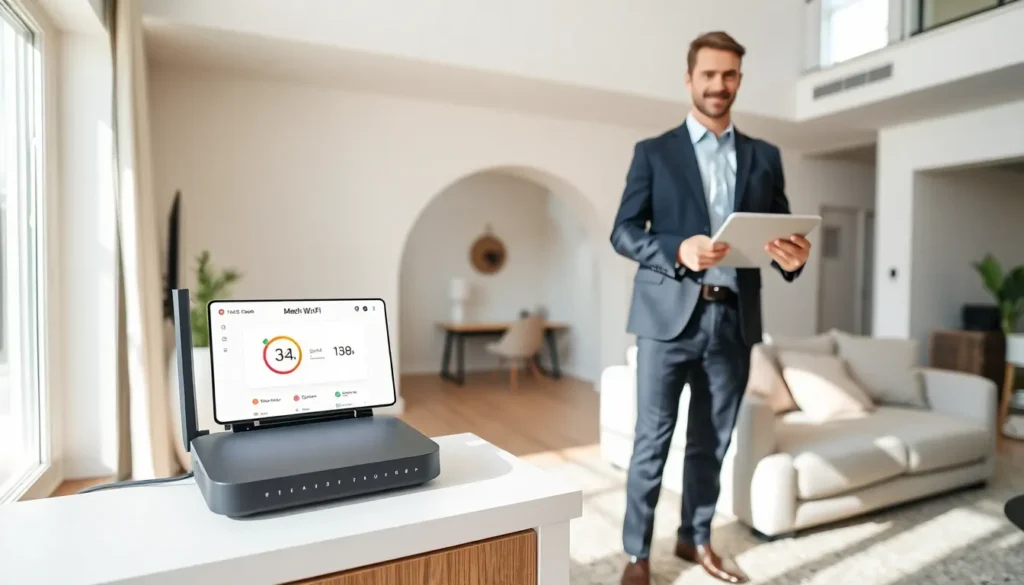

Home networking ideas can transform a sluggish internet connection into a fast, reliable system. Most households now run dozens of connected devices, from smart TVs to security cameras. A weak network causes buffering, dropped calls, and frustration. The good news? Simple upgrades and smart adjustments can dramatically improve performance. This guide covers practical strategies to boost speed and extend coverage throughout any home. Whether the goal is smoother video calls or lag-free gaming, these home networking ideas deliver real results.
Table of Contents
ToggleKey Takeaways
- Assess your current network by testing speeds in different rooms and documenting dead zones before implementing any home networking ideas.
- Place your router in a central, elevated location away from interference sources like microwaves and thick walls to boost signal strength by up to 30%.
- Upgrade to a mesh Wi-Fi system for homes larger than 2,000 square feet to eliminate dead zones and create seamless coverage.
- Use wired Ethernet connections for high-demand devices like gaming consoles, smart TVs, and home office setups to ensure reliable, low-latency performance.
- Secure your network by changing default passwords, enabling WPA3 encryption, creating a guest network, and keeping router firmware updated.
- Consider powerline or MoCA adapters as practical home networking ideas for connecting distant rooms without running new cables.
Assess Your Current Network Setup
Before making changes, a thorough assessment of the existing network reveals problem areas. Start by testing internet speed using free tools like Speedtest.net or Fast.com. Run tests in different rooms to identify dead zones and weak spots.
Check how many devices connect to the network. Most routers display this information in their admin panel. A typical household might have 15-25 connected devices, phones, laptops, smart speakers, thermostats, and more. Each device consumes bandwidth.
Review the current router’s specifications. Older routers using 802.11n technology struggle with modern demands. Newer Wi-Fi 6 (802.11ax) routers handle more devices and deliver faster speeds. If the router is more than five years old, an upgrade should top the list of home networking ideas.
Document the findings. Note which rooms have poor signal strength and which devices experience the most issues. This baseline information guides all future improvements.
Optimize Router Placement for Better Coverage
Router placement affects network performance more than most people realize. Many homeowners hide their router in a basement corner or inside a cabinet. This approach kills signal strength.
Place the router in a central location. Wi-Fi signals radiate outward in all directions, so a central position provides the most even coverage. Elevate the router on a shelf or mount it on a wall. Signals travel better when the router sits above furniture and other obstacles.
Keep the router away from interference sources. Microwaves, cordless phones, baby monitors, and Bluetooth devices can disrupt Wi-Fi signals. Metal objects and thick walls also block signals. Position the router in an open area, away from these obstacles.
Adjust the router’s antennas if it has external ones. Point them in different directions, one vertical and one horizontal, to maximize coverage across multiple floors. Some home networking ideas seem simple, but proper router placement alone can improve speeds by 30% or more.
Consider the layout of the home. Long, narrow houses may need the router positioned toward one end rather than the center. Two-story homes benefit from placing the router on the first floor near the ceiling or on the second floor near the floor.
Upgrade to a Mesh Wi-Fi System
Traditional routers broadcast from a single point. Large homes or houses with thick walls often have dead zones where signals can’t reach. A mesh Wi-Fi system solves this problem.
Mesh systems use multiple units placed throughout the home. These units communicate with each other to create one seamless network. Users move from room to room without signal drops or the need to switch between networks.
Popular mesh systems include Google Nest WiFi, Amazon eero, and TP-Link Deco. Prices range from $150 to $500 depending on coverage area and features. Most systems cover 3,000 to 6,000 square feet with a three-unit package.
Installation is straightforward. Most mesh systems use smartphone apps for setup. Users place the main unit near the modem and position satellite units in areas with weak coverage. The app guides optimal placement.
Mesh systems offer several advantages beyond coverage. They automatically route traffic through the least congested path. Many include built-in security features and parental controls. For homes larger than 2,000 square feet, a mesh system ranks among the best home networking ideas available.
Use Wired Connections for High-Demand Devices
Wi-Fi offers convenience, but wired Ethernet connections deliver superior performance. Devices that require consistent, high-speed connections benefit from direct cable connections to the router.
Game consoles perform better on wired connections. Online gaming requires low latency, and Ethernet cables provide more stable connections than Wi-Fi. Desktop computers used for video editing or large file transfers also benefit from wired connections.
Smart TVs streaming 4K content consume significant bandwidth. A wired connection ensures smooth playback without buffering. Home office setups with video conferencing needs should prioritize Ethernet connections for reliability.
If running cables throughout the house isn’t practical, powerline adapters offer an alternative. These devices use existing electrical wiring to transmit network data. Plug one adapter near the router and another near the device. Performance varies based on electrical wiring age and quality, but powerline adapters work well in many homes.
MoCA adapters use coaxial cable for similar results. Homes with existing coax infrastructure can achieve near-Ethernet speeds without running new cables. Both options represent smart home networking ideas for connecting distant rooms.
Secure Your Network With Best Practices
Network security protects personal data and prevents unauthorized users from stealing bandwidth. Weak security slows connections and exposes the household to risks.
Change the default router password immediately. Many routers ship with generic credentials like “admin” and “password.” Hackers know these defaults. Create a strong, unique password with letters, numbers, and symbols.
Use WPA3 encryption if the router supports it. WPA3 provides the strongest protection currently available. Older routers may only offer WPA2, which remains acceptable. Avoid WEP encryption, it’s outdated and easily cracked.
Create a separate guest network for visitors. Guest networks isolate visitor devices from the main network where personal computers and smart home devices operate. Most modern routers include this feature in their settings.
Update router firmware regularly. Manufacturers release updates that fix security vulnerabilities and improve performance. Enable automatic updates if the option exists. Check for updates manually at least quarterly.
Disable WPS (Wi-Fi Protected Setup). While convenient, WPS has known security flaws. The physical button on routers makes unauthorized access possible. Turn off this feature through the router’s admin panel.
These security-focused home networking ideas protect both performance and privacy.