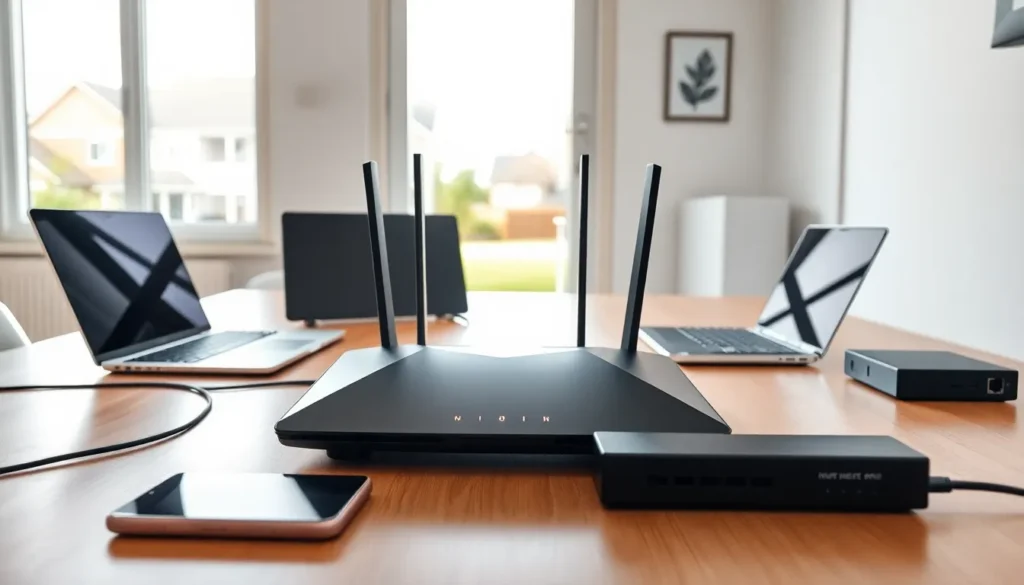

The best home networking setup keeps every device connected, every video call crisp, and every streaming session buffer-free. A reliable home network has become essential for work, entertainment, and smart home devices. This guide covers everything from understanding bandwidth needs to choosing the right equipment and avoiding common pitfalls. Whether someone streams 4K content, works remotely, or simply wants faster Wi-Fi throughout the house, this article provides practical advice for building the best home networking system possible.
Table of Contents
ToggleKey Takeaways
- The best home networking setup starts with assessing your device count, bandwidth needs, and coverage area before buying equipment.
- Mesh systems provide the best home networking experience for larger or multi-story homes by eliminating dead zones and signal drops.
- Place your router in a central, elevated location away from microwaves and metal objects to maximize Wi-Fi coverage.
- Wired Ethernet connections outperform wireless for stationary devices like gaming consoles and desktop computers.
- Avoid ISP-provided rental equipment—purchasing your own router typically pays for itself within 18-24 months.
- Enable WPA3 encryption, update firmware regularly, and use QoS settings to prioritize video calls and gaming traffic.
Understanding Your Home Networking Needs
Before purchasing any equipment, households should assess their specific connectivity requirements. The best home networking solutions match the demands of the users and devices they support.
Device Count Matters
The average American home now contains over 20 connected devices. Smartphones, laptops, smart TVs, gaming consoles, and IoT devices all compete for bandwidth. A network that worked fine five years ago may struggle with today’s load.
Bandwidth Requirements
Different activities require different speeds. Basic web browsing needs about 5 Mbps per device. HD streaming requires 10-25 Mbps. 4K video demands 25 Mbps or more per stream. Video conferencing works best with 10-20 Mbps. Households should add up their simultaneous usage to determine minimum speed requirements.
Coverage Area
Home size directly impacts networking decisions. A 1,200-square-foot apartment has very different needs than a 3,500-square-foot house. Walls, floors, and building materials also affect signal strength. Brick and concrete block Wi-Fi signals more than drywall.
Future-Proofing
Technology changes quickly. The best home networking approach plans for growth. Choosing equipment that exceeds current needs by 20-30% provides room for new devices and higher bandwidth applications.
Essential Home Networking Equipment
Building the best home networking infrastructure requires the right hardware. Quality equipment provides better performance and lasts longer.
Modems
The modem connects a home network to the internet service provider (ISP). Many ISPs rent modems to customers, but purchasing a compatible modem often saves money over time. DOCSIS 3.1 modems support gigabit speeds and work with most cable providers.
Network Switches
Homes with multiple wired devices benefit from network switches. These devices expand the number of Ethernet ports available. Gigabit switches cost between $20-50 and provide fast, reliable connections for gaming consoles, desktop computers, and smart TVs.
Ethernet Cables
Wired connections outperform wireless in speed and reliability. Cat6 cables support speeds up to 10 Gbps over short distances. Cat6a extends this capability to longer runs. For the best home networking performance, wiring stationary devices directly to the router or switch is recommended.
Routers and Mesh Systems
Routers serve as the central hub for home networks. They direct traffic between devices and the internet. Modern routers support Wi-Fi 6 (802.11ax), which offers faster speeds, better range, and improved performance with multiple devices.
Single routers work well in smaller homes and apartments. They typically cover 1,500-2,000 square feet effectively. Prices range from $100-300 for quality options.
Mesh systems solve coverage problems in larger homes. These systems use multiple access points that work together seamlessly. Users move throughout the house without signal drops or manual switching. Popular mesh systems include options from Eero, Google Nest, and Netgear Orbi.
Mesh systems cost more than single routers, typically $200-500 for a complete setup. But, they provide the best home networking experience for multi-story homes or properties with difficult layouts.
Wi-Fi 6E routers add a third 6 GHz band, reducing congestion in device-heavy homes. These represent the latest technology and command premium prices.
Tips for Optimizing Your Home Network
Even the best home networking equipment needs proper configuration. These optimization strategies maximize performance.
Router Placement
Location matters more than most people realize. Routers work best in central locations, elevated off the floor. Keeping them away from microwaves, cordless phones, and baby monitors reduces interference. Metal objects and aquariums also block signals.
Channel Selection
Wi-Fi routers broadcast on specific channels. In apartment buildings, multiple networks often compete on the same channels. Using a Wi-Fi analyzer app reveals crowded channels. Switching to a less congested channel improves speeds significantly.
Separate Networks
Creating separate SSIDs for different purposes helps manage bandwidth. A dedicated network for smart home devices keeps them from slowing down computers and phones. Guest networks protect the main network from unknown devices.
Regular Updates
Router firmware updates fix security vulnerabilities and sometimes improve performance. Checking for updates quarterly keeps the network secure. Many modern routers update automatically.
Quality of Service (QoS)
QoS settings prioritize certain types of traffic. Video calls and gaming can receive priority over file downloads. This prevents large downloads from disrupting real-time applications. Most routers include QoS options in their settings.
Wired Backhaul
For mesh systems, connecting nodes with Ethernet cables (wired backhaul) dramatically improves performance. This approach frees up wireless bandwidth for devices that can’t use cables.
Common Home Networking Mistakes to Avoid
Many households make preventable errors that undermine their connectivity. Recognizing these mistakes helps create the best home networking environment.
Using ISP-Provided Equipment
Rental equipment from internet providers rarely offers top performance. These devices often lack features found in retail routers and mesh systems. Purchasing separate equipment usually pays for itself within 18-24 months through avoided rental fees.
Ignoring Security
Default passwords and outdated encryption invite problems. Every router should use WPA3 encryption (or WPA2 at minimum) with a strong, unique password. Changing the default admin credentials prevents unauthorized access.
Placing the Router in a Corner
Corner placement wastes signal. Routers broadcast in all directions, so corner positioning sends much of that signal outside the home. Central placement maximizes interior coverage.
Overlooking Interference
Many household devices create interference. Baby monitors, Bluetooth speakers, and even LED lights can disrupt Wi-Fi signals. The 5 GHz band experiences less interference than 2.4 GHz but has shorter range.
Skipping Speed Tests
Regular speed tests reveal problems before they become obvious. Testing at different times and locations identifies weak spots. Free tools like Speedtest.net provide accurate measurements.
Buying Based on Marketing Claims
Router boxes advertise impressive speeds that real-world conditions never achieve. The best home networking decisions rely on independent reviews and real-world testing data rather than manufacturer claims.