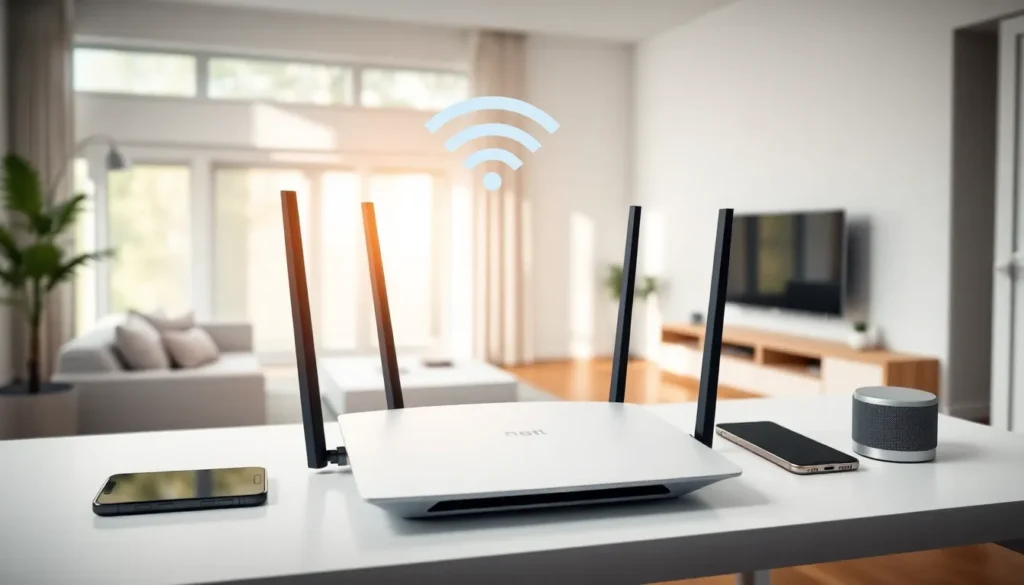

Top home networking setups can transform a sluggish internet connection into a seamless experience. Buffering videos, dropped video calls, and dead zones frustrate millions of households every day. The good news? Modern networking equipment has become more affordable and easier to install than ever before.
This guide covers the essential components of a strong home network. Readers will learn about router options across different price points, the differences between mesh Wi-Fi systems and traditional routers, and practical optimization tips. Whether someone streams 4K content, works from home, or simply wants reliable coverage throughout their house, the right networking setup makes all the difference.
Table of Contents
ToggleKey Takeaways
- Top home networking setups require understanding your home size, device count, and internet speed tier to choose the right equipment.
- Wi-Fi 6 routers offer the best balance of performance and affordability for most households in 2024-2025.
- Mesh Wi-Fi systems eliminate dead zones in larger or multi-story homes, while traditional routers work better for smaller spaces.
- Router placement in a central, elevated location dramatically improves wireless coverage and signal strength.
- Wired ethernet connections deliver faster, more stable speeds than Wi-Fi for stationary devices like gaming consoles and smart TVs.
- Regularly update firmware and use WPA3 encryption to keep your home network secure and performing optimally.
Understanding Home Network Basics
A home network connects all internet-enabled devices within a residence. This includes smartphones, laptops, smart TVs, gaming consoles, and an ever-growing list of smart home gadgets. The network’s foundation starts with a modem, which receives the internet signal from the service provider.
The router then distributes that connection wirelessly and through ethernet cables. Most modern setups combine both devices into a single unit, though separate components often deliver better performance for top home networking results.
Key Components
Modem: Translates the incoming signal from the ISP into usable data. Cable, fiber, and DSL connections each require specific modem types.
Router: Creates the local network and manages traffic between devices. It assigns IP addresses and directs data packets to their destinations.
Access Points: Extend wireless coverage to areas the main router cannot reach effectively.
Ethernet Cables: Provide faster, more stable connections than Wi-Fi for stationary devices like desktop computers and gaming consoles.
Understanding Wi-Fi Standards
Wi-Fi standards determine speed capabilities and range. Wi-Fi 6 (802.11ax) is currently the mainstream standard, offering speeds up to 9.6 Gbps and better performance in crowded networks. Wi-Fi 6E adds the 6 GHz band for less interference. Wi-Fi 7 devices started appearing in 2024, promising even faster speeds and lower latency.
For most households, a Wi-Fi 6 router provides excellent top home networking performance without breaking the budget.
Best Router Options for Every Budget
Choosing the right router depends on home size, number of devices, and internet speed tier. Here’s a breakdown of solid options across three price categories.
Budget-Friendly ($50-$100)
The TP-Link Archer AX21 delivers Wi-Fi 6 performance at an accessible price point. It handles speeds up to 1.8 Gbps and covers homes up to 2,500 square feet. The ASUS RT-AX1800S offers similar specs with a user-friendly mobile app for setup and management.
These routers work well for apartments and small homes with 10-15 connected devices. They support the latest security protocols and receive regular firmware updates.
Mid-Range ($100-$200)
The NETGEAR Nighthawk RAX50 steps up performance considerably. It supports speeds up to 5.4 Gbps and includes four high-performance antennas for broader coverage. The TP-Link Archer AX73 provides similar capabilities with eight simultaneous streams.
Mid-range routers suit medium-sized homes with 25+ devices. They often include USB ports for network-attached storage and more advanced QoS (Quality of Service) controls.
Premium ($200+)
The ASUS ROG Rapture GT-AX6000 targets gamers with dedicated gaming ports and traffic prioritization. The NETGEAR Nighthawk RAXE500 brings Wi-Fi 6E support for future-proofing.
Premium routers excel in large homes with heavy bandwidth demands. Families streaming multiple 4K videos while gaming and video conferencing benefit most from top home networking equipment in this tier.
| Budget Tier | Example Models | Best For |
|---|---|---|
| Budget | TP-Link AX21, ASUS AX1800S | Small homes, light use |
| Mid-Range | NETGEAR RAX50, TP-Link AX73 | Medium homes, moderate use |
| Premium | ASUS GT-AX6000, NETGEAR RAXE500 | Large homes, heavy use |
Mesh Wi-Fi Systems vs Traditional Routers
Traditional routers broadcast from a single point. Mesh systems use multiple nodes that work together as one network. Each approach has distinct advantages.
When Traditional Routers Win
A quality standalone router often outperforms mesh systems in smaller spaces. They cost less upfront and typically deliver faster maximum speeds. Homes under 2,000 square feet with open floor plans usually get complete coverage from a well-placed router.
Traditional routers also offer more configuration options for advanced users. Port forwarding, custom DNS settings, and VPN setup tend to be more straightforward.
When Mesh Systems Excel
Mesh Wi-Fi shines in larger or multi-story homes. Top home networking mesh systems like Google Nest Wi-Fi Pro, Eero Pro 6E, and ASUS ZenWiFi eliminate dead zones by placing nodes throughout the home.
The devices hand off connections seamlessly as users move between rooms. A phone connected in the living room transitions to the bedroom node without dropping the connection.
Mesh systems also simplify expansion. Adding coverage means plugging in another node rather than configuring range extenders or access points.
Cost Comparison
A two-pack mesh system typically costs $200-$400. A comparable traditional router runs $100-$200. But, adding range extenders to a traditional setup can close that gap while creating a less elegant solution.
For homes with consistent dead zones or unusual layouts, mesh systems provide the best top home networking experience even though the higher cost.
Essential Tips for Optimizing Your Home Network
Great hardware alone doesn’t guarantee great performance. These optimization strategies squeeze maximum speed and reliability from any setup.
Router Placement Matters
Place the router in a central location, elevated off the floor. Avoid closets, cabinets, and corners. Thick walls, metal objects, and appliances like microwaves interfere with signals.
The ideal spot sits in the middle of the home at desk height or higher. Even moving a router a few feet can dramatically improve coverage in problem areas.
Use the Right Frequency Band
- 2.4 GHz: Better range, slower speeds. Good for smart home devices and IoT gadgets far from the router.
- 5 GHz: Faster speeds, shorter range. Ideal for streaming, gaming, and video calls.
- 6 GHz: Fastest speeds with minimal interference but limited range. Best for high-bandwidth activities near the router.
Most modern routers handle band steering automatically, but manual assignment can improve top home networking performance for specific devices.
Update Firmware Regularly
Router manufacturers release firmware updates that fix security vulnerabilities and improve performance. Enable automatic updates when available, or check manually every few months.
Secure the Network
Use WPA3 encryption when all devices support it. WPA2 remains secure for older hardware. Create a separate guest network for visitors and smart home devices to isolate potential security risks.
Change the default admin password immediately after setup. Use a unique, strong Wi-Fi password that isn’t used elsewhere.
Consider Wired Connections
Ethernet cables deliver faster, more consistent speeds than any wireless connection. Desktop computers, gaming consoles, smart TVs, and streaming devices benefit from wired connections.
Powerline adapters or MoCA adapters can extend wired connectivity to rooms without existing ethernet runs.